



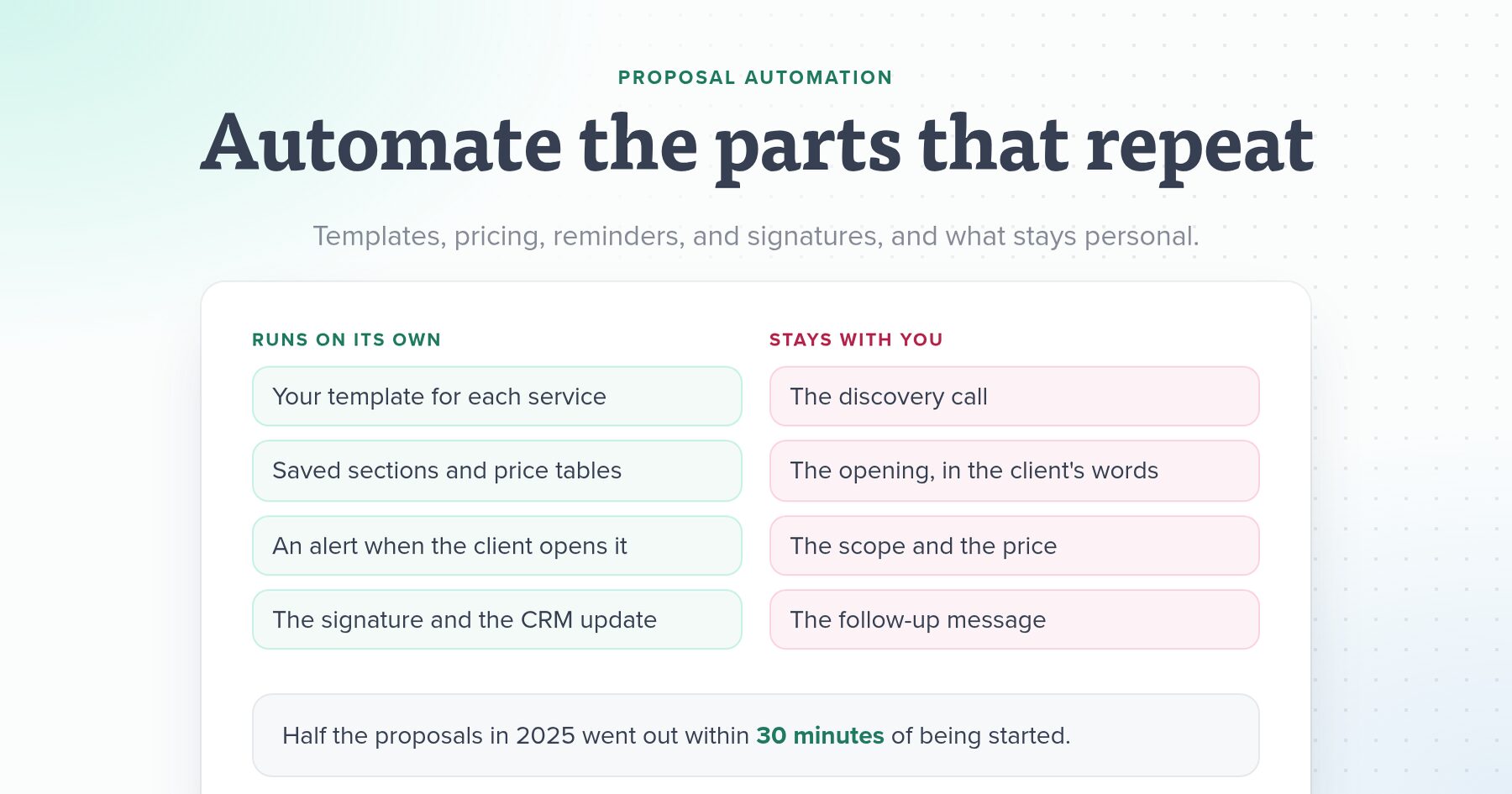
Proposal automation means letting software handle the parts of a sales proposal that are the same every time: the structure, the standard sections, the client’s details, the price table, the send email, the alert when the client opens it, the reminder to follow up, the signature, and the update to your CRM. For an agency, that’s most of the admin. Keep the thinking for yourself: the scope, the price for this client, the paragraph about their problem, and the follow-up conversation.
We make proposal software, so we see how long this takes once it’s set up. Half the proposals sent through Nusii in 2025 went out within 30 minutes of being started, according to our State of Proposals 2026 report. Below is each step an agency owner can automate, what to keep personal, where AI drafting helps and where it doesn’t, and the time it adds up to.
Proposal automation in plain terms
Search for proposal automation and most results come from enterprise tools. For a bid team at a large company, it means RFP software that fills in security questionnaires from a library of approved answers, routes drafts to reviewers, and tracks approvals.
A marketing, web, or design agency with 2 to 10 people needs something smaller. You sell a handful of services, often as retainers, and you send a few proposals a week at most. For you, proposal automation is a template for each service, saved sections you don’t rewrite, prices you don’t retype, a link that tells you when the client has read it, and a signature that moves the deal along in your CRM without you touching it.
It adds up. In Salesforce’s sixth State of Sales report (2024), sales reps said generating quotes and proposals and getting them approved took 10% of their working week. Those are full-time salespeople. In a small agency, the same work usually falls on the owner, in between client projects.
Automate or keep personal: each step at a glance
| Step | Automate | Keep personal |
|---|---|---|
| Structure | A template for each service you sell | Which template fits this client |
| Standard content | About you, process, team, case studies, and terms, saved once | The opening about the client’s problem, in their words |
| Client details | Name, company, and dates filled in for you | Anything you learned on the call |
| Pricing | Saved price tables, totals, taxes, and optional add-ons | The scope and the price for this client |
| Sending | The email, your sending address, tracking | A line in the email that mentions the call |
| Follow-up | An alert when they open it and a reminder to you | The follow-up message or call itself |
| Signing | Online acceptance and signature, a signed PDF for both sides | Nothing, let the software do it |
| Hand-off | CRM stage, Slack message, invoice, project setup | The kickoff call |
Templates for each service
Most agencies sell the same three to five things: an SEO retainer, paid ads management, a website, a content package. Each deserves its own template with the sections, wording, and pricing already in place, so a new proposal starts most of the way there instead of on a blank page.
The fastest way to build one is to start from the last proposal that won. In Nusii you can save any proposal as a template, start one from scratch, or clone a template to make a version for a second service. If you’d rather not start from nothing, our marketing proposal template, SEO proposal template, and web design proposal template are free to copy, and the full proposal templates library has more. Our proposal outline covers which sections to include.
Agencies that sell a fixed menu get the most out of this. In an r/agency thread about faster proposals, one owner with a productized service wrote, “Quotes/agreements take less than 10 minutes to create on average because everything is templated.”
Reusable sections and client details
Templates handle the structure. Saved sections handle the content that moves between templates: your team bios, your process, a case study for each industry you work in, your terms, and the FAQ you answer on every call. In Nusii these are reusable sections, text or pricing, that you insert into any proposal or template. When a case study gets a better result, update the saved version and the next proposal picks it up.
Client details are the other repeated job. Variables fill in the client’s name, company, address, and role, plus the proposal’s title, total, and expiry date, wherever you place them. That’s how a section written once still greets each client by name, and how you stop sending one client a proposal with another client’s name in it.
As a commenter in a r/agency thread about proposal automation put it: “Most of a proposal should be boiler plate. The bit that’s personalised can be updated based on notes from your scoping calls.”
Pricing tables you don’t retype
Retyping prices is where errors creep in: last year’s rate, a total that doesn’t add up, a monthly fee shown as a one-off. Save each price table as a reusable pricing section, with a line for each fee. Nusii line items can be fixed, recurring, per unit or period, or a range, so a $2,500 monthly retainer and a $1,500 setup fee sit in the same table, and Nusii adds them up with taxes, keeping one-off and recurring totals apart.
You can also let the client choose. Mark an add-on as an optional line item or offer packages as optional pricing, and the total updates as they tick what they want.
Nusii won’t work out the price for you. It adds up the lines you choose, with no rate-card rules like the configure-price-quote tools built for large sales teams. For an agency that’s usually right, because the price depends on the client’s budget, what the result is worth to them, and how much risk you’re taking. Our guide to value-based pricing covers that decision.
Sending
Write the send email once. Nusii’s email templates fill in the subject and message each time you click Send Proposal, with variables for the recipient’s name and the proposal link, and you can still change the message for one client before it goes. When several people are on the proposal, each gets their own email. You can send from your own email address so the client sees your name in their inbox.
Send through the software rather than pasting a link into Gmail. That’s what starts the tracking, the reminders, and the CRM updates below. Then add one line to the email that only this client could receive, such as a reference to something they said on the call.
Follow-up reminders
Following up is the step agency owners forget when client work gets busy, and software can cover both halves of it.
The first half is knowing when the client reads it. Nusii emails you the first time your client opens the proposal, and can tell you about every open after that, or in one daily email. Clients tend to look quickly: of the proposals clients opened in 2025, half were opened within 48 minutes of sending.
The second half is a reminder when nothing happens. On the Agency and Business plans, Nusii’s automatic outreach reminders email you after the number of days you pick (1, 2, 3, 5, 7, or 14) if the proposal is still waiting for an answer. Nusii doesn’t send reminder emails to your client. The reminder comes to you, and you write the follow-up, because a nudge that sounds automated is easy to ignore and a personal one is where the client tells you what’s holding them back. Our post on handling proposal objections covers what to say.
Following up is worth the effort. Proposals sent a second time, such as a reminder or a revised version, were accepted 57.6% of the time in 2025, against 48.3% for proposals sent once. That’s a correlation, since clients who ask for a revision may already be leaning toward yes, but following up costs you little. Proposals the client never opened were accepted 8.7% of the time, so an unopened proposal after two days is a reason to call. Our guide to proposal tracking covers how to time each follow-up.
E-signatures and payment
Printing, signing, scanning, and emailing back is the last place a ready client can stall. With electronic signatures, the client accepts and signs on the same page they read, by typing their name or drawing a signature, without creating an account. Nusii records the time, their IP address, and their email, and both of you can download the signed PDF. A thank you email can go out to the client automatically with the signed PDF attached. On the Business plan, more than one person can sign the same proposal.
If you take a payment up front, on the Agency plan and up the client can pay a deposit or the full amount through Stripe straight after signing.
CRM, Slack, and the hand-off after the yes
A signed proposal starts a string of small jobs: update the deal in your CRM, tell the team, send the invoice, set up the project. These are the easiest to automate because they’re the same every time.
- With HubSpot or Pipedrive connected, a proposal can be linked to a deal, the deal moves to the stage you choose when you send it, and the signed PDF is attached to it. In Pipedrive, an accepted proposal marks the deal as won and a rejected one as lost. CRM integrations are on the Agency and Business plans.
- Slack posts a message to the channel you choose when a proposal is sent, viewed, accepted, or rejected, so the team sees a win without anyone announcing it.
- Zapier and Make connect Nusii to thousands of other apps on every plan. A common setup creates the invoice in your accounting tool when a proposal is accepted, since Nusii isn’t an invoicing tool, or creates the project in your project management tool.
The r/agency thread that ranks for “proposal automation” describes the same chain, from someone building their own system: “You fill out a form, sends a proposal to the client, populates a dashboard. Proposal is signed, updates the dashboard and sends an invoice for any upfront fees.” Most of that is available off the shelf now.
AI drafting: good for first drafts, weak on scope and price
AI is the newest part of proposal automation, and most of the tools ranking for the term now lead with it. Agencies use it in three ways: an AI writer built into a proposal tool, a general assistant like ChatGPT or Claude given past proposals and call notes, or a home-made pipeline that sends a form or a call transcript through OpenAI into a document template.
The honest reports from agency owners agree on where it works. The owner of a five-person agency wrote up six weeks of testing on r/AIToolsAndTips: “AI is good at first drafts when you feed it 3-4 past proposals as context, the new client brief, and tell it the structure you want. saves about 60 percent of the drafting time.” The same owner found it reliable for assumptions, exclusions, and change-order wording. Their team’s proposal time fell from about 10 hours to about 4, with the close rate “basically unchanged so far”.
They also found the limits:
- Scope: “AI cannot do scoping.” The draft missed most of what the client meant by a vague brief, so someone who was on the call has to read it first.
- Price: “it cant read the room on whether this client is a haggler or a flat fee preferrer.”
- The client’s problem: an agency that builds these automations for clients wrote on r/agency that “the AI output often struggles to emphasize the pain points discussed during sales calls.”
So use AI for the first draft of your approach from your call notes, for adapting a saved section to a new industry, and for the boilerplate. Write the scope, the price, and the opening yourself, and check every claim it makes about results or case studies, because it will fill gaps with something plausible.
Nusii has no AI writer built in. Instead, Nusii MCP connects Claude, ChatGPT, Gemini, or Microsoft Copilot to your account on every plan. You can ask it to draft a proposal from your SEO template for a client you describe, add three extra design days to the price table, or rewrite the introduction. It saves a draft in Nusii and never sends anything, so you review and send it yourself.
Keep these parts personal
Automation buys you time for the parts of a proposal clients actually judge you on. Spend it here:
- The discovery call, and the questions that find out what the client needs and who signs. Our client interview guide has the questions.
- The first paragraph, which describes the client’s situation in the words they used. Clients read it first, often before you’ve spoken again.
- The scope, including what isn’t included, so the client can’t read more into it than you meant.
- The price and the options you offer this client.
- The follow-up after the reminder lands, written as a person, ideally answering something they asked.
Our guide to writing a proposal for a client covers each of these in detail.
How much time proposal automation saves
It depends on how many proposals you send and how much of each one repeats. Agency owners who’ve measured it report numbers like these:
- The owner who built a form, OpenAI, and document pipeline on r/agency said reviewing a generated draft “takes me only 2-3 minutes, compared to 40-50 minutes, to write it from scratch using my notes from the meeting,” and estimated “12 proposals monthly x 35 mins on avg. = 7 hours.”
- The five-person agency above went from about 10 hours to about 4 on proposals.
- Ben Harrison, director of Web Optic, a Nusii customer: “Some proposals can take 15 minutes with Nusii, but they look like they’ve taken several hours.”
To estimate your own, take an example. Say your agency sends eight proposals a month and each takes three hours: an hour copying from old documents and fixing the formatting, an hour on prices and details, and an hour on the parts that are specific to the client. With templates, saved sections, and price tables, the first two hours shrink to minutes, and you’re left with the hour that matters. That’s about 16 hours a month back, two working days. Add the follow-ups you no longer forget, and the CRM updates nobody has to make.
Does automation help you close more deals?
Not on its own. A templated proposal for the wrong client, at the wrong price, loses as surely as a hand-built one. Automation helps in two indirect ways.
It gets proposals out while the call is fresh, and it makes the follow-up reliable, which is where the data above shows the biggest gap. It also gives you numbers. Nusii’s Reports page shows your acceptance rate and how long clients take to say yes, per client, template, and team member, so you can see which template wins and fix the one that doesn’t. You can compare your rate with other agencies in our State of Proposals 2026 report. For what makes the proposal itself win, read how to win more proposals.
Setting it up, step by step
Most of this fits in an afternoon:
- Pull up the last three proposals you won.
- Turn the best one for each service into a template.
- Save the sections that appear in more than one (about, process, team, case studies, terms) as reusable sections, and your price tables as pricing sections.
- Replace client names and companies with variables.
- Write your send email template, and set up sending from your own domain (the DNS change can take up to a day to verify).
- Turn on open notifications and pick your follow-up reminder days.
- Connect your CRM, Slack, and, if you invoice elsewhere, a Zapier or Make step for the invoice.
- Send your next proposal from the template, and note everything you had to retype. That’s your next saved section.
Choosing proposal automation software
The tools that rank for proposal automation fall into three groups. Enterprise RFP and document automation tools are built for bid teams answering long questionnaires, and are priced for them. Proposal software for small teams, such as Nusii, PandaDoc, Proposify, Qwilr, and Better Proposals, covers templates, pricing, tracking, and signatures. And you can build your own from Google Docs, Zapier or Make, and ChatGPT, which costs little but breaks when one app changes.
For a 2 to 10 person agency, the second group usually fits. Check that the tool has templates and saved sections, handles recurring fees, tells you when a proposal is opened, includes e-signatures on the plan you’d buy, and connects to your CRM. Then check the price per extra user, because agency headcount changes. Our comparison of the best proposal software for marketing agencies lines them up, and our list of PandaDoc alternatives helps if you’re switching.
Nusii is the proposal software we make, and it covers the steps above for agencies: templates and saved sections, price tables, open alerts, follow-up reminders, signatures, and CRM, Slack, Zapier, and Make connections. It doesn’t write proposals itself or send reminders to your clients, and it isn’t an invoicing tool. The Agency plan is $49 a month for three users. More on Nusii for marketing agencies, or try it free for 14 days and build your first template from the last proposal you won.
Frequently asked questions
What is proposal automation?
Proposal automation is using software to handle the repeated steps of a sales proposal: starting from a template, adding saved sections and prices, filling in client details, sending it, tracking when it's opened, reminding you to follow up, collecting the e-signature, and updating your CRM. The parts that need judgment, like the scope and the price, stay with you.
Can ChatGPT write a sales proposal?
It can write a usable first draft if you give it past proposals, your call notes, and the structure you want. Agency owners report it saves a good part of the drafting time and handles boilerplate like assumptions and exclusions well. It can't scope the work, set the price, or capture what the client said on the call, so a person who was on the call should rewrite those parts and check every claim before it goes out.
How much time does proposal automation save?
It depends on how many proposals you send and how much repeats. Agency owners report going from 40 to 50 minutes per proposal to a few minutes of review, or from about 10 hours of proposal work to about 4. Half the proposals sent through Nusii in 2025 went out within 30 minutes of being started.
Which parts of a proposal should you not automate?
Keep the discovery call, the opening paragraph about the client's problem, the scope and what isn't included, the price, and the follow-up message personal. Automate the structure, the standard sections, the client details, the sending, the reminders to yourself, the signature, and the CRM updates.
Does proposal automation improve close rates?
Not directly. It helps you send proposals while the call is fresh and makes follow-up reliable. Proposals sent through Nusii a second time, such as a reminder or a revised version, were accepted 57.6% of the time in 2025, against 48.3% for those sent once. That's a correlation, not proof that the follow-up caused the yes.
Do you need proposal software to automate proposals?
No. You can build a version with Google Docs, Zapier or Make, and ChatGPT. It costs less but takes time to build and breaks when one app changes, and you still need a way to track opens and collect signatures. Proposal software does those parts out of the box.
This guide builds on an earlier post by Pierre Larose, who writes about proposals, marketing, and business strategy for creative professionals.