



OnePageCRM integration


Send proposals directly from OnePageCRM
Keep your sales and proposals in sync without extra admin. Import your contacts, create proposals linked to deals, and automatically update deal stages as proposals move forward. Once signed, the final PDF is saved to the deal and contact — so everything stays organised in one place.
Free 14-day trial · Cancel anytime · 60-day money-back guarantee
What you get
Everything stays in sync
No more switching between apps or manually updating deal stages. Nusii and OnePageCRM work together so you can focus on closing deals.
Create proposals from your CRM
Start a Nusii proposal directly from OnePageCRM. The client details are imported automatically — no duplicate data entry.
Automatic deal stage sync
When a proposal is sent, accepted, or rejected, the deal stage in OnePageCRM updates automatically. No manual work needed.
Import your contacts
Import all contacts from OnePageCRM or pick specific ones. Keep your client list in sync across both platforms.
Signed PDFs uploaded automatically
When a client signs your proposal, the final PDF is uploaded to the deal and contact in OnePageCRM automatically.
Configure your pipeline stages
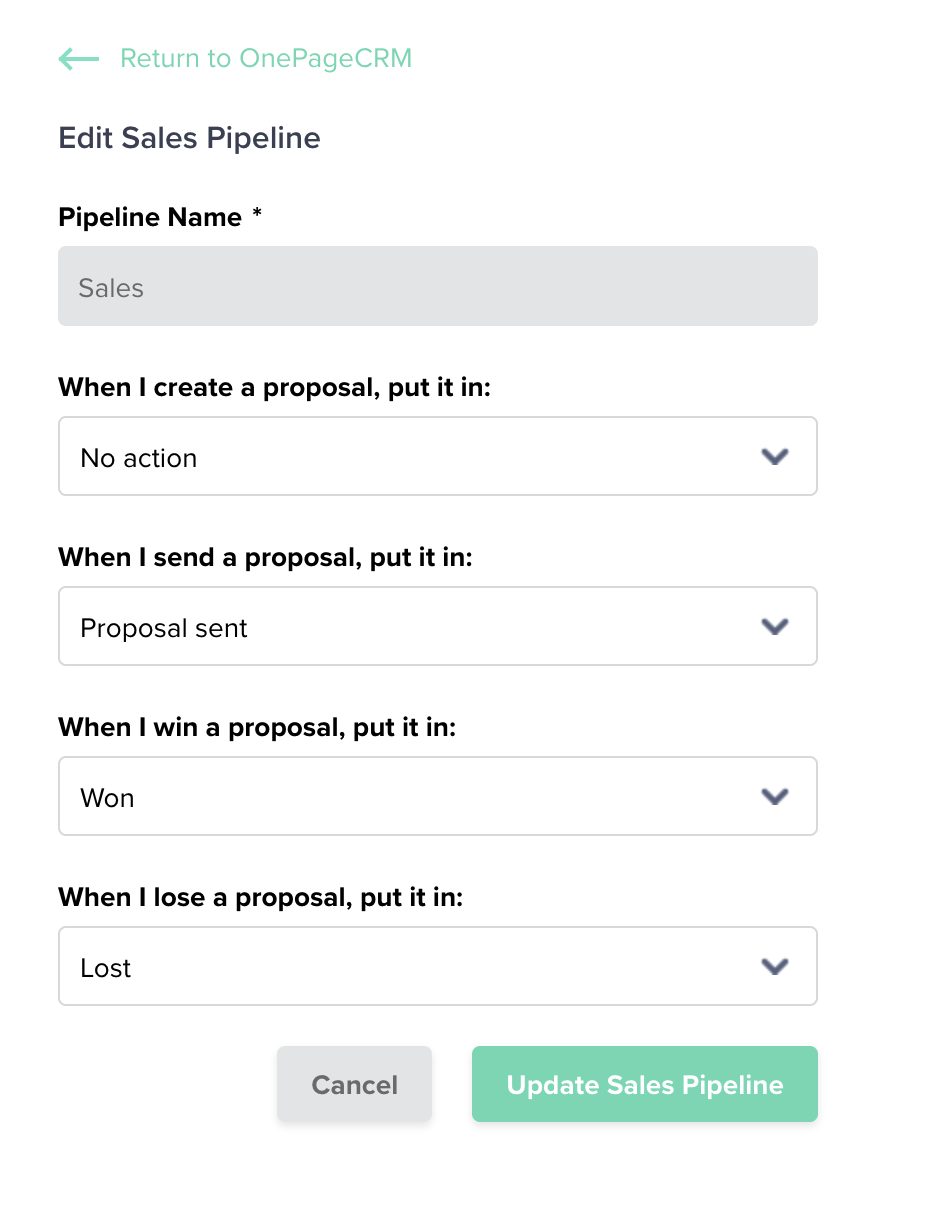
Choose what happens at each step — set custom stages for when proposals are created, sent, won, or lost.
View proposals in OnePageCRM
All proposals are visible from the OnePageCRM dashboard, linked to the contact's email. Everything in one place.
How it works
Up and running in minutes
Here's the whole workflow once you're connected.
Connect your accounts
Grab your API key and User ID from OnePageCRM and paste them into Nusii. That's it — you're connected.
Configure your pipeline
Choose which sales pipeline to use and set the stages for each proposal event (sent, won, lost).
Create a proposal
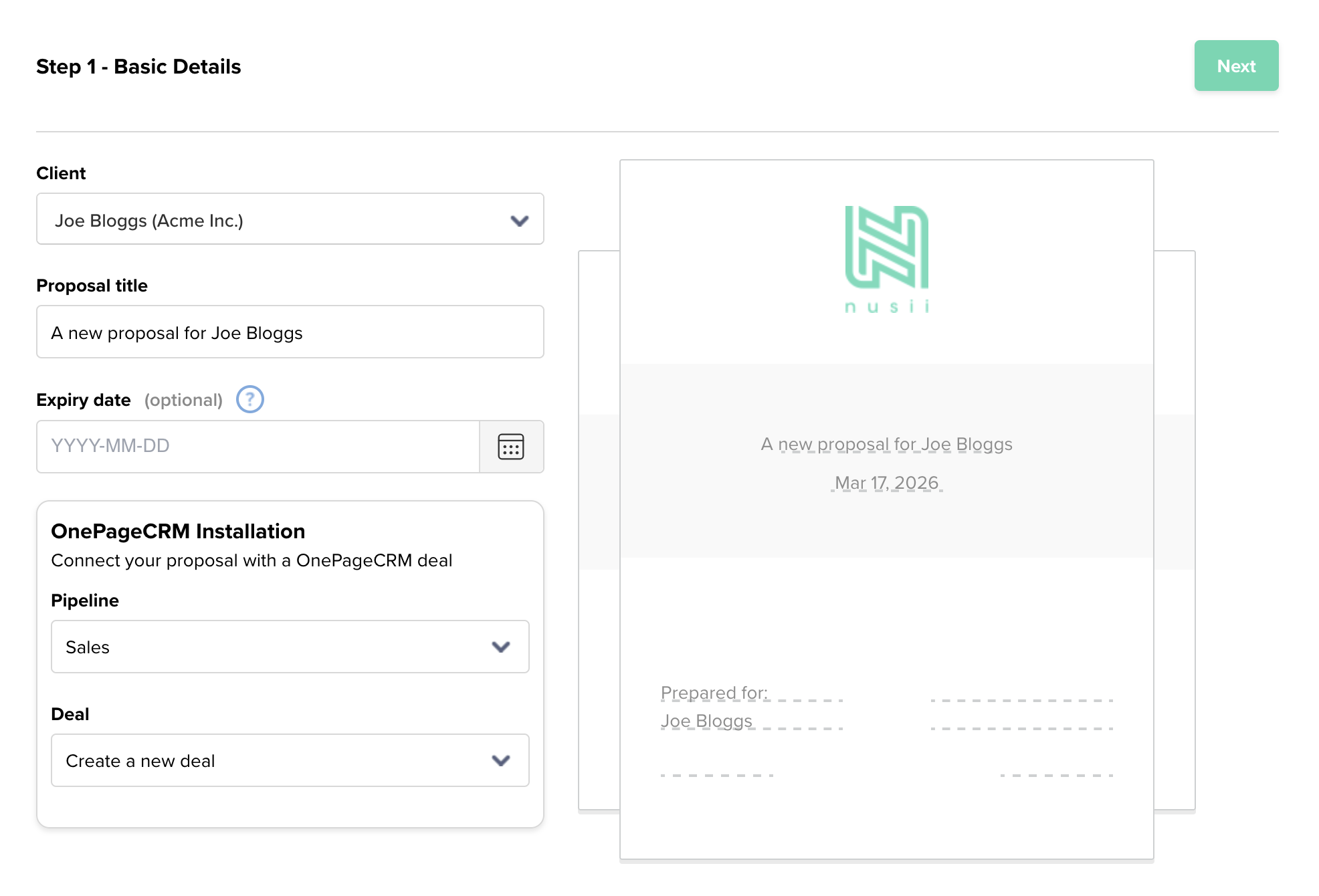
Select a OnePageCRM contact, pick a pipeline, and choose to create a new deal or sync to an existing one.
Send and track
Send your proposal. The deal stage updates automatically. When it's accepted, it moves to Won and the signed PDF is uploaded.
Your sales pipeline, always up to date
Every proposal action triggers a pipeline update in OnePageCRM. Your team always knows the status of every deal without checking two systems.
- Proposal sent? Deal moves to your chosen stage.
- Client accepts? Automatically marked as Won.
- Client rejects? Automatically marked as Lost.
Create proposals in seconds
Select a contact imported from OnePageCRM, choose your pipeline, and decide whether to create a new deal or link to an existing one. Click next, pick a template, and you're ready to send.
Loved by sales teams
Trusted by sales teams and agencies
“Sending proposals through Nusii saved us an average of 2 hours per proposal, and increased closed/won deal conversion rate by 41%.”

“Making proposals faster helps a lot because after the demo with the salesperson, we have to be quick to create the contract and the customer has to be able to see it immediately.”

“Hands down, the best system for creating proposals and closing deals that I've ever found in 26 years of business. With Nusii, our close rate has been higher than ever!”

Frequently asked questions
Common questions about the integration
How do I connect OnePageCRM to Nusii?
Go to Settings > Integrations inside Nusii and click the OnePageCRM logo. You'll need your User ID and API Key from OnePageCRM's API settings page. Paste them in and click Connect.
Can I create proposals directly from OnePageCRM?
Yes. Once you've authenticated Nusii inside OnePageCRM, you can create proposals straight from the OnePageCRM dashboard. The client details are imported automatically.
What happens when a client accepts a proposal?
The deal in OnePageCRM automatically moves to the Won stage. The final signed PDF is also uploaded to the deal and the contact, so everything is in one place.
Do I need to import contacts manually?
Not necessarily. You can import all contacts or pick specific ones, but if you create a proposal from OnePageCRM, the client is imported into Nusii automatically.
Can I use multiple sales pipelines?
Yes. Nusii syncs all your OnePageCRM pipelines. You can set a default pipeline and choose a different one when creating individual proposals.
What if I add new pipelines in OnePageCRM?
Click the Sync Pipelines button in your Nusii integration settings to pull in any new or updated pipelines from OnePageCRM.
Still have questions? Email us at support@nusii.com.
Ready to connect Nusii with OnePageCRM?
Start your 14-day free trial and have proposals syncing with your pipeline in minutes.
Cancel anytime · 60-day money-back guarantee