


Proposal template

IT services proposal template

A managed IT services proposal in seven short sections, from what your client told you to a paid onboarding month, a monthly fee per person with response times in writing, and the next steps. For IT support companies and MSPs taking over a small business's IT. Read it here or get it as a Word file and a PDF.

Michael Koper
By Michael Koper, founder of Nusii Updated
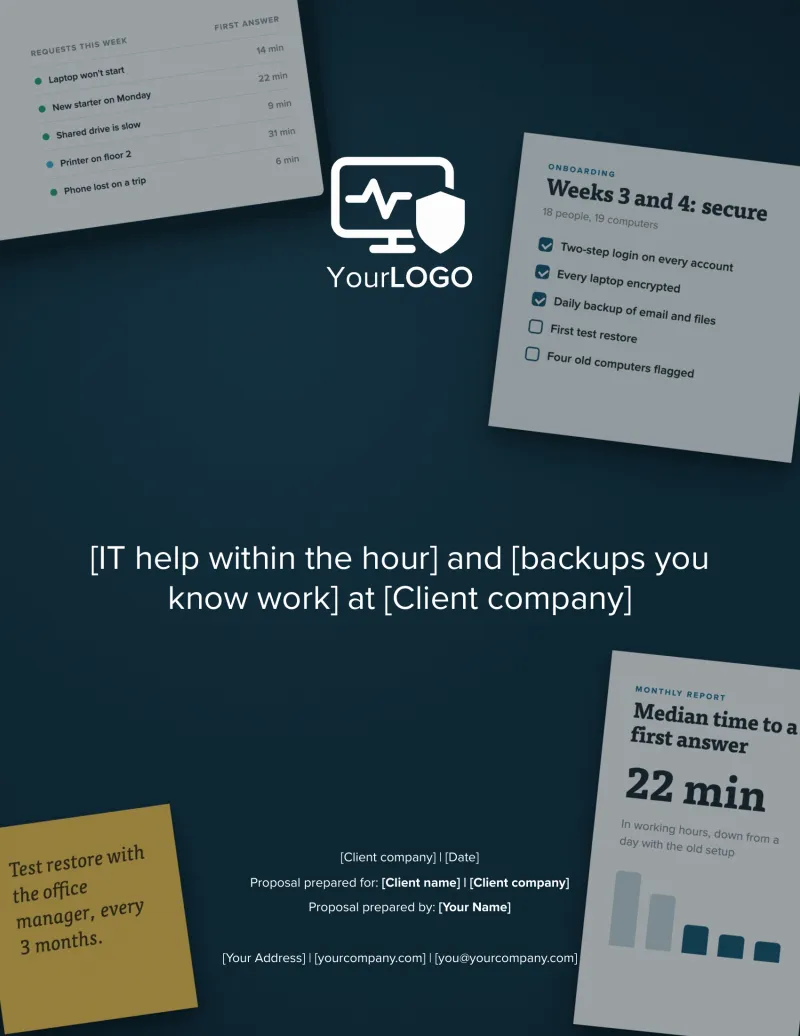
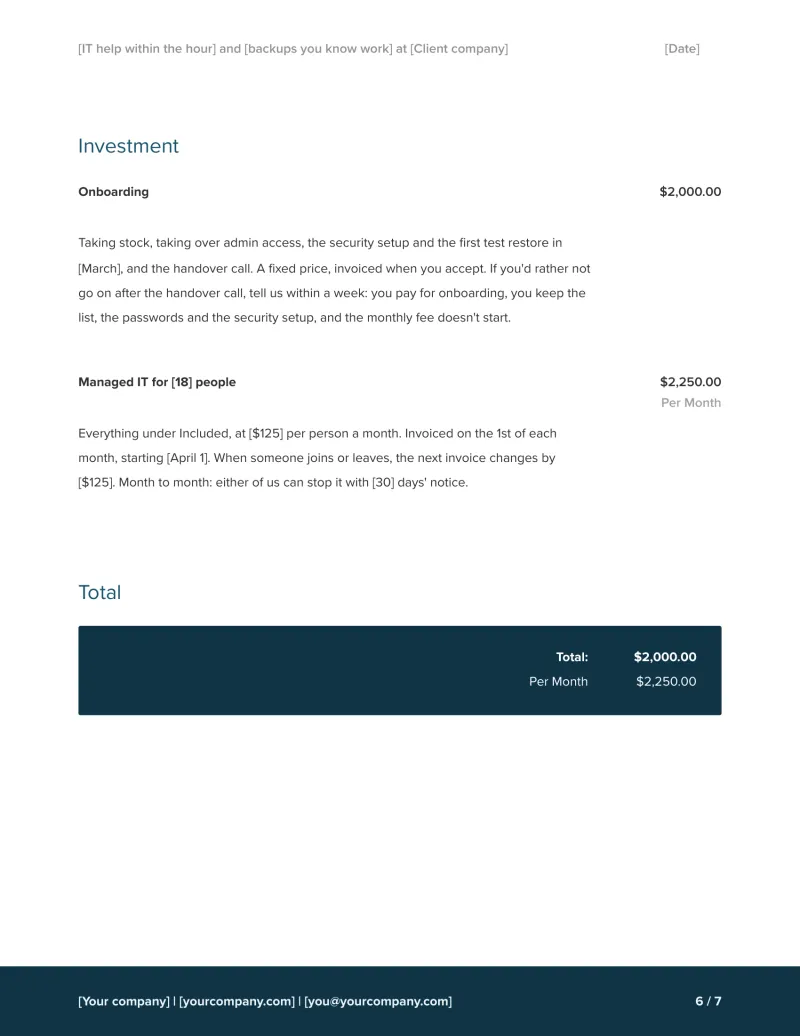
The IT services proposal template: the cover and the investment page with a $2,000 onboarding month and $2,250 a month for 18 people
Get the Word + PDF
On this page
  1. What to include
  2. The template
  3. A filled-in example
  4. See it as your client will
  5. What to charge
  6. After you send it
  7. Word and PDF
  8. Questions

What should an IT services proposal include?

An IT services proposal is the document an IT company sends a business to take over its IT: what the client told you, how you'll take over and how fast you'll answer, what's included, the price and how to say yes. Managed IT and MSP proposals follow the same shape. It has seven parts, and the template below has a section for each:

  1. 1 IntroductionWho you are, the plan and both prices.
  2. 2 What we heardWhat the client told you, what you found and what IT problems cost them.
  3. 3 How we'll look after your ITThe onboarding month by week, then hours, response times and planned work.
  4. 4 Results for businesses like yoursWhat changed for offices like this one.
  5. 5 What's includedSupport and security listed apart, what costs extra, and who keeps the passwords.
  6. 6 InvestmentA paid onboarding month, then a monthly fee per person.
  7. 7 Next stepsHow to say yes, and when you'll follow up.

The IT services proposal template, section by section

Copy one section or the whole thing. Under each section: what it's for, and one thing we've learned from the proposals sent with Nusii.

[Yellow] you write [Green] Nusii fills in when you send it

1. Introduction

The whole plan in two sentences, with both prices, then who you are. The partner or office manager who signs often wasn't on your call. Working on your own? Write "I" instead of "we".

Hi [Client first name],

Thanks for the call on [date of your call]. You told us that [the problem in one sentence, in the client's words, such as "when a computer breaks, people sit and wait, and our IT person calls back a day later"].

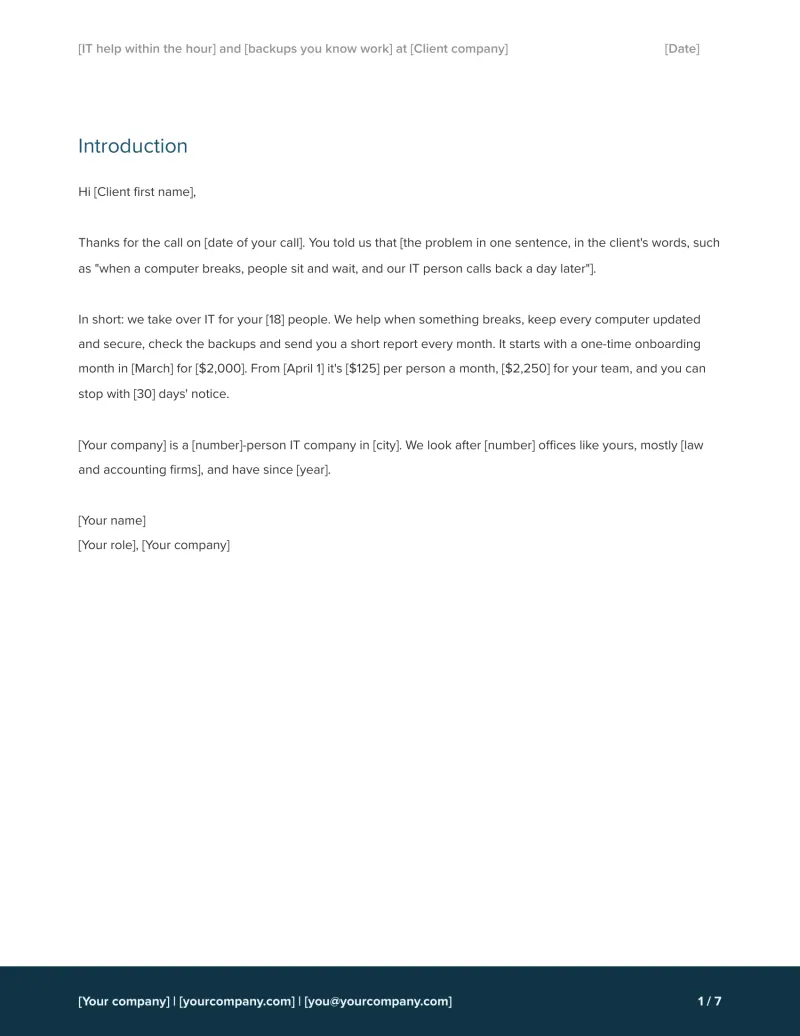
In short: we take over IT for your [18] people. We help when something breaks, keep every computer updated and secure, check the backups and send you a short report every month. It starts with a one-time onboarding month in [March] for [$2,000]. From [April 1] it's [$125] per person a month, [$2,250] for your team, and you can stop with [30] days' notice.

[Your company] is a [number]-person IT company in [city]. We look after [number] offices like yours, mostly [law and accounting firms], and have since [year].

[Your name]
[Your role], [Your company]

Proposals from software and IT companies got their first look a median of 30 minutes after they were sent in Nusii (762 proposals, November 2025 to October 2026), and 32.5% of all first views from July to September 2026 were on a phone. Put the plan and the monthly price on the first screen.
2. What we heard

Shows you listened, says what you found when you looked, and puts a number on what IT problems cost the client today. Only you can write this one: replace the examples with your client's words.

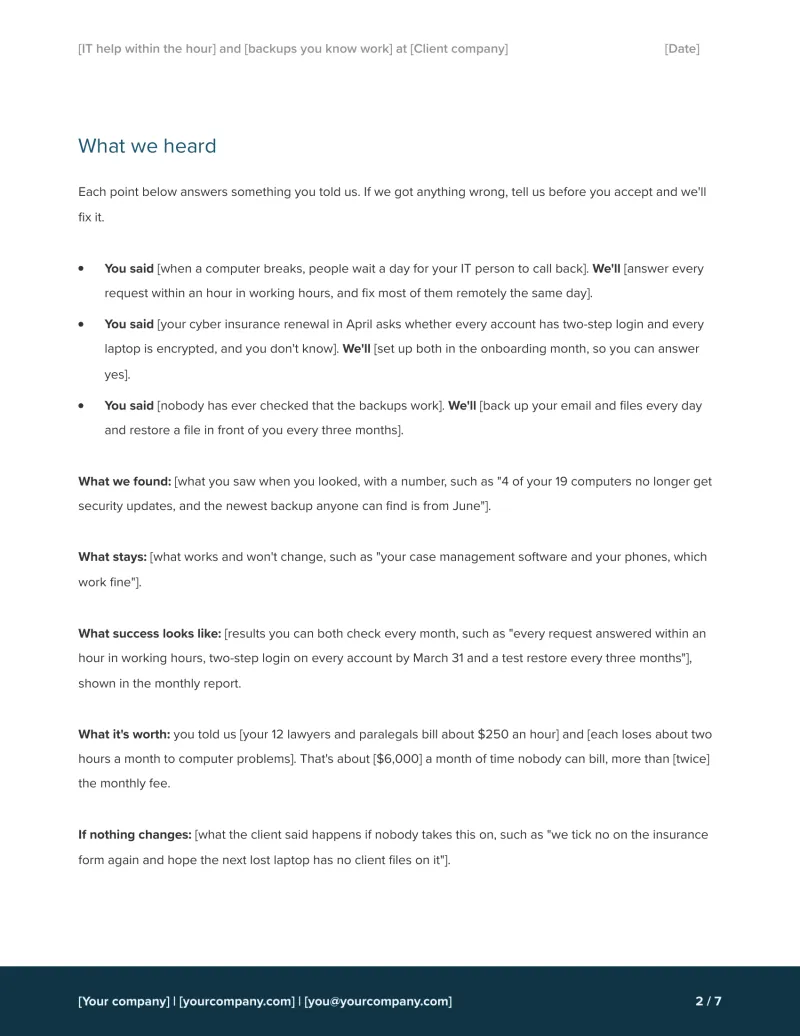
Each point below answers something you told us. If we got anything wrong, tell us before you accept and we'll fix it.

  • You said [when a computer breaks, people wait a day for your IT person to call back]. We'll [answer every request within an hour in working hours, and fix most of them remotely the same day].
  • You said [your cyber insurance renewal in April asks whether every account has two-step login and every laptop is encrypted, and you don't know]. We'll [set up both in the onboarding month, so you can answer yes].
  • You said [nobody has ever checked that the backups work]. We'll [back up your email and files every day and restore a file in front of you every three months].

What we found: [what you saw when you looked, with a number, such as "4 of your 19 computers no longer get security updates, and the newest backup anyone can find is from June"].

What stays: [what works and won't change, such as "your case management software and your phones, which work fine"].

What success looks like: [results you can both check every month, such as "every request answered within an hour in working hours, two-step login on every account by March 31 and a test restore every three months"], shown in the monthly report.

What it's worth: you told us [your 12 lawyers and paralegals bill about $250 an hour] and [each loses about two hours a month to computer problems]. That's about [$6,000] a month of time nobody can bill, more than [twice] the monthly fee.

If nothing changes: [what the client said happens if nobody takes this on, such as "we tick no on the insurance form again and hope the next lost laptop has no client files on it"].

"What will happen if this project doesn't go ahead?" is one of the ten questions in our 2015 book on proposals. With IT, the answer is often something that already happened: a laptop that wouldn't start on a deadline, a lost phone, a question on an insurance form nobody could answer. Ask about it on the call, and ask how many people bill for their time and at what rate. Those answers fill in "What it's worth".

3. How we'll look after your IT

The onboarding month week by week, then how support works every month: when you're there, how fast you answer and when planned work happens. The first line says why the cheaper route won't do. If you didn't talk about one, delete it.

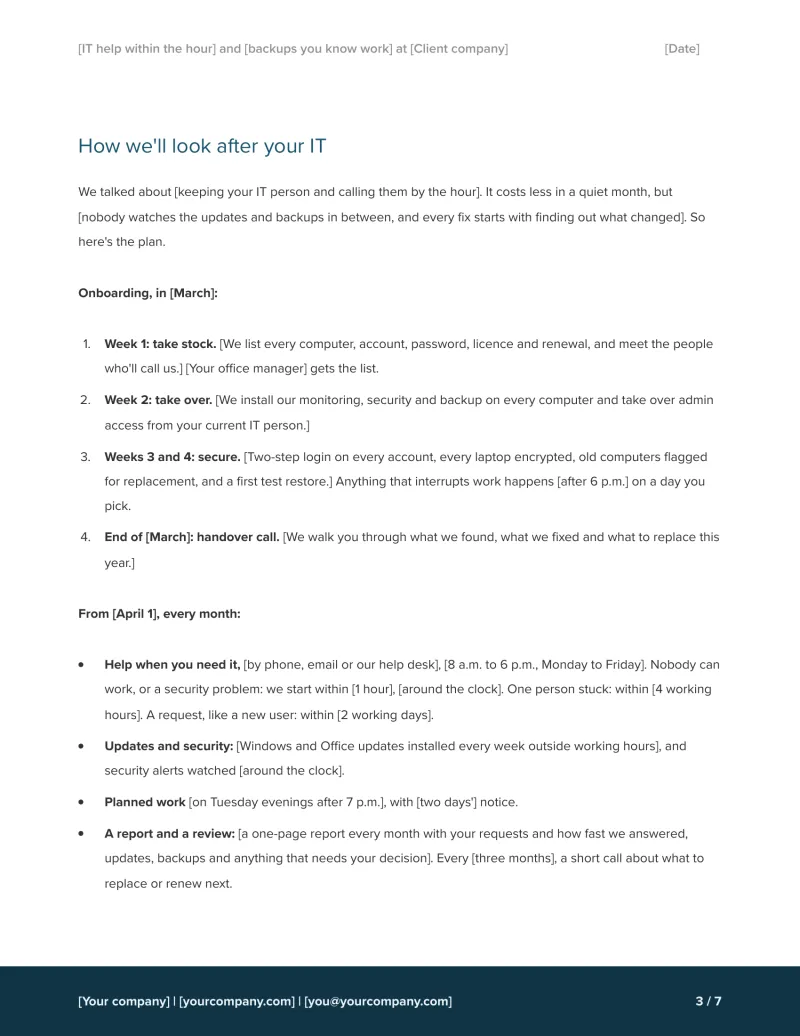
We talked about [keeping your IT person and calling them by the hour]. It costs less in a quiet month, but [nobody watches the updates and backups in between, and every fix starts with finding out what changed]. So here's the plan.

Onboarding, in [March]:

  1. Week 1: take stock. [We list every computer, account, password, licence and renewal, and meet the people who'll call us.] [Your office manager] gets the list.
  2. Week 2: take over. [We install our monitoring, security and backup on every computer and take over admin access from your current IT person.]
  3. Weeks 3 and 4: secure. [Two-step login on every account, every laptop encrypted, old computers flagged for replacement, and a first test restore.] Anything that interrupts work happens [after 6 p.m.] on a day you pick.
  4. End of [March]: handover call. [We walk you through what we found, what we fixed and what to replace this year.]

From [April 1], every month:

  • Help when you need it, [by phone, email or our help desk], [8 a.m. to 6 p.m., Monday to Friday]. Nobody can work, or a security problem: we start within [1 hour], [around the clock]. One person stuck: within [4 working hours]. A request, like a new user: within [2 working days].
  • Updates and security: [Windows and Office updates installed every week outside working hours], and security alerts watched [around the clock].
  • Planned work [on Tuesday evenings after 7 p.m.], with [two days'] notice.
  • A report and a review: [a one-page report every month with your requests and how fast we answered, updates, backups and anything that needs your decision]. Every [three months], a short call about what to replace or renew next.

CISA, the US cybersecurity agency, tells businesses hiring an IT provider to ask for service levels that list IT support and security apart, a transition plan with any downtime at a time they choose, and a say in when planned maintenance happens (Risk Considerations for Managed Service Provider Customers, 2021). This section and the next answer all three before the client has to ask.

4. Results for businesses like yours

Short proof for the people who weren't on the call: what changed for an office like this one after you took over. Use real numbers from a real client, or leave this section out.

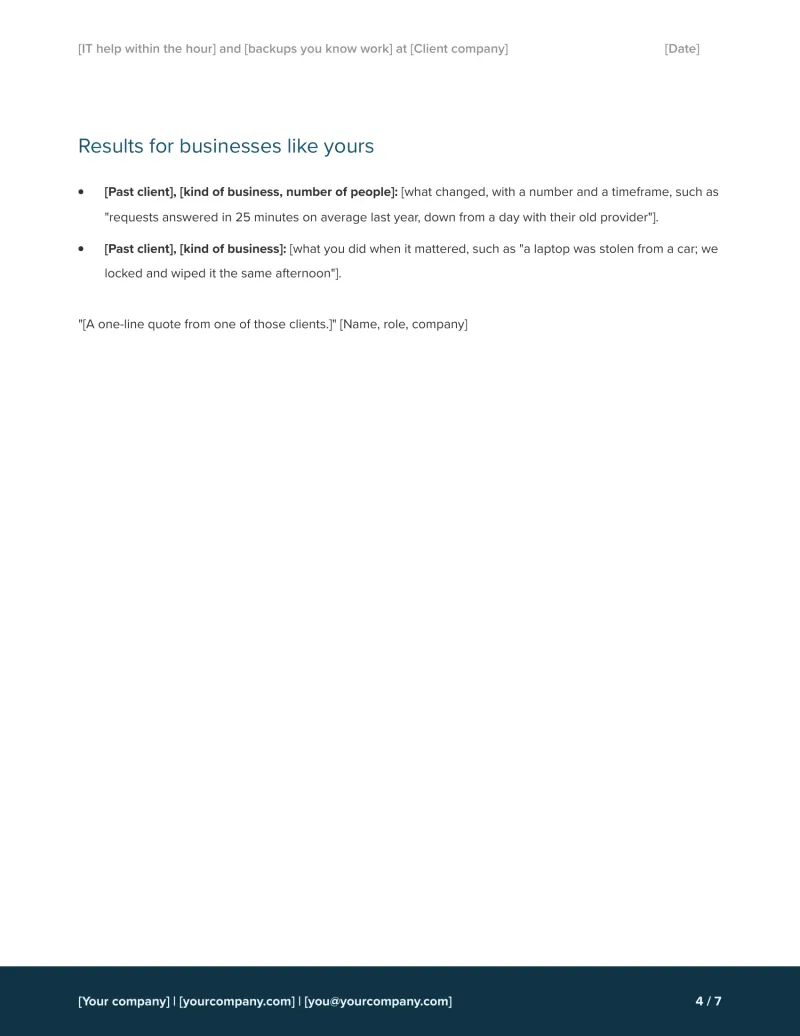
  • [Past client], [kind of business, number of people]: [what changed, with a number and a timeframe, such as "requests answered in 25 minutes on average last year, down from a day with their old provider"].
  • [Past client], [kind of business]: [what you did when it mattered, such as "a laptop was stolen from a car; we locked and wiped it the same afternoon"].

"[A one-line quote from one of those clients.]" [Name, role, company]

Proposals to a client who had accepted one before were accepted 63.4% of the time in Nusii, against 47.2% for a first proposal from the same 122 senders (July to September 2026). If you already fix this client's computers by the hour, say so here: it's the best proof you have.

5. What's included

Draws the line between what the monthly fee covers and what costs extra, lists support and security apart, says what you need from the client, and that the accounts stay theirs. Most arguments with an IT provider start with "I thought that was included".

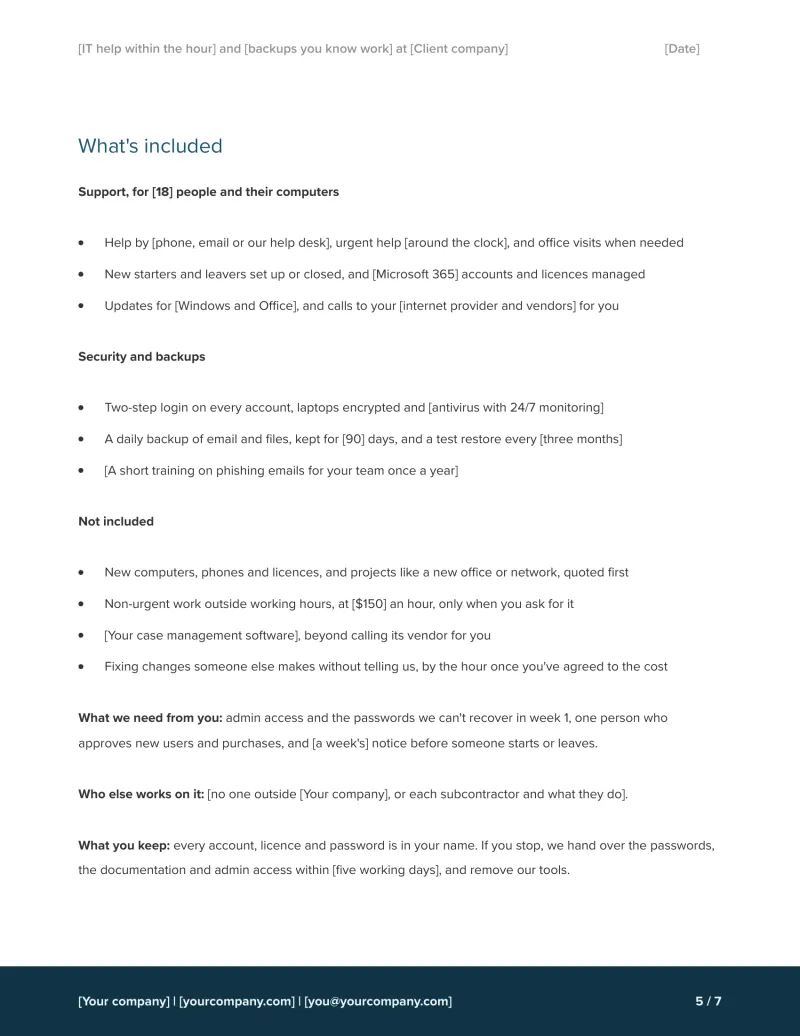
Support, for [18] people and their computers

  • Help by [phone, email or our help desk], urgent help [around the clock], and office visits when needed
  • New starters and leavers set up or closed, and [Microsoft 365] accounts and licences managed
  • Updates for [Windows and Office], and calls to your [internet provider and vendors] for you

Security and backups

  • Two-step login on every account, laptops encrypted and [antivirus with 24/7 monitoring]
  • A daily backup of email and files, kept for [90] days, and a test restore every [three months]
  • [A short training on phishing emails for your team once a year]

Not included

  • New computers, phones and licences, and projects like a new office or network, quoted first
  • Non-urgent work outside working hours, at [$150] an hour, only when you ask for it
  • [Your case management software], beyond calling its vendor for you
  • Fixing changes someone else makes without telling us, by the hour once you've agreed to the cost

What we need from you: admin access and the passwords we can't recover in week 1, one person who approves new users and purchases, and [a week's] notice before someone starts or leaves.

Who else works on it: [no one outside [Your company], or each subcontractor and what they do].

What you keep: every account, licence and password is in your name. If you stop, we hand over the passwords, the documentation and admin access within [five working days], and remove our tools.

Philip Morgan and Jonathan Stark, in our 2015 book: "You will almost never be the only party responsible for the outcome of a project." With IT, the client buys the computers, pays for the licences and tells you who starts on Monday. Write their part down.

6. Investment

One price in two parts: the onboarding month, then the monthly fee per person, each with when it's invoiced, and a way out after onboarding. These are example prices; the table further down shows what others charge.

Onboarding

$2,000

Taking stock, taking over admin access, the security setup and the first test restore in [March], and the handover call. A fixed price, invoiced when you accept. If you'd rather not go on after the handover call, tell us within a week: you pay for onboarding, you keep the list, the passwords and the security setup, and the monthly fee doesn't start.

Managed IT for [18] people

$2,250 a month

Everything under Included, at [$125] per person a month. Invoiced on the 1st of each month, starting [April 1]. When someone joins or leaves, the next invoice changes by [$125]. Month to month: either of us can stop it with [30] days' notice.

Total: $2,000 then $2,250 a month

In Nusii, proposals with a recurring fee were accepted less often than one-off ones (39.5% against 54.6% for the same 84 senders, July to September 2026). A monthly IT contract is a bigger decision. The paid onboarding month gives the client a first step with a clear end.

7. Next steps

Tells the client exactly what to do to say yes, what happens after, and when you'll call. No expiry date, no "limited availability".

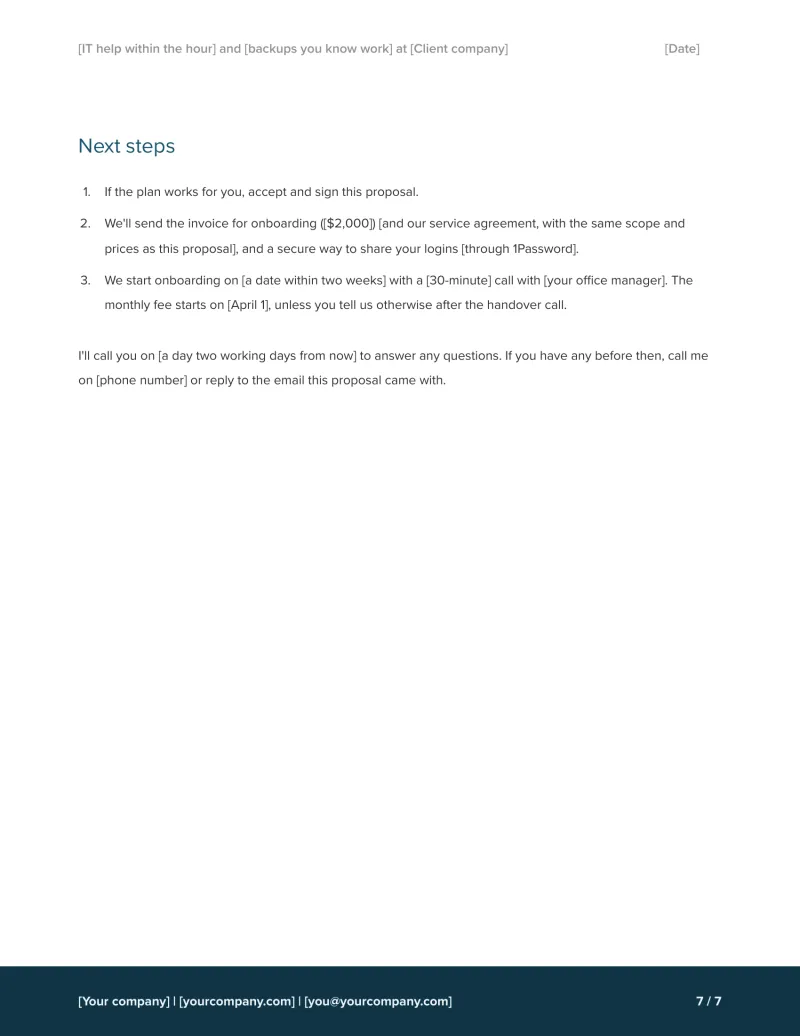
  1. If the plan works for you, accept and sign this proposal.
  2. We'll send the invoice for onboarding ([$2,000]) [and our service agreement, with the same scope and prices as this proposal], and a secure way to share your logins [through 1Password].
  3. We start onboarding on [a date within two weeks] with a [30-minute] call with [your office manager]. The monthly fee starts on [April 1], unless you tell us otherwise after the handover call.

I'll call you on [a day two working days from now] to answer any questions. If you have any before then, call me on [phone number] or reply to the email this proposal came with.

Proposals from software and IT companies got their yes in a median of 1.2 days in Nusii, and 70.4% of the yeses came within a week (762 proposals, November 2025 to October 2026). A call two working days after you send it lands while most clients are still deciding.

An IT services proposal example, filled in

Two sections of the template above with a client's words in the brackets, so you can see how it reads when it's done. Larkin & Voss is a made-up 18-person law firm, and so are its numbers.

IT help within the hour and backups you know work at Larkin & Voss

What we heard

  • You said when a computer breaks, people wait a day for your IT person to call back, and last month a paralegal lost a morning before a filing deadline. We'll answer every request within an hour in working hours, and fix most of them remotely the same day.
  • You said your cyber insurance renewal in April asks whether every account has two-step login and every laptop is encrypted, and you don't know. We'll set up both in the onboarding month, so you can answer yes.
  • You said nobody has ever checked that the backups of the shared drive work. We'll back up your email and files every day and restore a file in front of you every three months.

What success looks like: every request answered within an hour in working hours, two-step login on every account by March 31 and a test restore every three months, shown in the monthly report.

What it's worth: you told us your 12 lawyers and paralegals bill about $250 an hour and each loses about two hours a month to computer problems. That's about $6,000 a month of time nobody can bill, more than twice the monthly fee.

If nothing changes: you tick no on the insurance form again, and the next lost laptop has client files on it that nobody can lock.

Investment

Onboarding

$2,000

Managed IT for 18 people

$2,250 a month

Total: $2,000 then $2,250 a month

See it as your client will

Every page of the PDF, printed by Nusii. Sent as a link, it's one scrolling page on any device: your client accepts with one button and signs with their name.

Open the live preview

The template in Nusii, the way your client will see it. It opens in a new tab.

What to charge for managed IT

What managed IT costs, from a survey of MSPs and the published proposals we could check. The template's example, $125 a person a month for 18 people after a $2,000 onboarding month, sits in the $101 to $150 per-user band of Kaseya's 2024 survey, and its $2,250 a month in the survey's middle band for an average client. Before you name your price, find out what the client has in mind: how eight freelancers and agency owners ask about the budget.

What Price
Managed IT, priced per user $50 to $150 a user a month what 36% of MSPs charge; 15% charge less, 15% more and a third don't price per user Kaseya
Managed IT, priced per device Under $100 a device a month what 46% of MSPs charge, 24% under $50; a third don't price per device Kaseya
An MSP's average client Up to $5,000 a month 78% of MSPs: 27% average up to $1,000, 27% $1,001 to $2,500, 24% $2,501 to $5,000 Kaseya
One MSP's proposal to a small city $130 a seat a month $110 for all-in support plus $20 for security, 24 seats, $2,200 setup, a 36-month term InfiniTech
A help desk vendor's example, 22 users $110 to $135 a user a month two levels of support, $1,800 onboarding, a 12-month term SherpaDesk
A proposal tool's example, 40 users $125 a user a month plus $8 a device for endpoint security, and $6,800 for onboarding with security hardening Smart Pricing Table

Sources: Kaseya, 2024 MSP Benchmark Survey, 984 MSPs in more than 35 countries; InfiniTech, an MSP's proposal to the City of Concordia, Missouri, April 2025, in the city's public files; SherpaDesk, a help desk software company's example, updated October 2026; Smart Pricing Table, a proposal software company's example, August 2026. Kaseya sells software to MSPs and surveyed them worldwide. The other rows are one MSP's real proposal and two software companies' examples, so treat them as single data points. We didn't find an independent survey of what small US businesses pay, and Nusii's own count of IT proposals is too small to publish.

How often proposals got a yes, by price

These totals leave monthly fees out, so for managed IT they show the one-time part: the template's $2,000 onboarding is in the $1,000 to $5,000 band. Proposals with a recurring fee were accepted less often than one-off ones (40% against 55% for the same senders). From 1,713 proposals first sent with Nusii, July to September 2026.

Under $1,000
67.1%
$1,000 to $5,000
50.7%
$5,000 to $15,000
48.9%
$15,000 to $50,000
36.1%
Over $50,000
33.3%

Share accepted, by the total the client saw. Bigger proposals are bigger decisions, so this shows what happened, not that a lower price would win. Method: The State of Proposals 2026.

What happens after you send it

From 762 proposals software and IT companies first sent with Nusii, November 2025 to October 2026.

55.8%
were accepted
30 minutes
median time to the client's first look
1.2 days
median time to a yes
70.4%
of the yeses came within a week

Clients rarely say no. Of all proposals sent with Nusii from July to September 2026, 6.5% were rejected and 45.2% got no answer either way. Silence is the usual no, so a follow-up is worth sending.

Follow up after a week. Most yeses come within seven days. In Nusii you see when the proposal was opened and get an email when it's accepted, so you can follow up when they've read it, not when you guess they have.

More numbers and the method: The State of Proposals 2026.

Get the Word and PDF files

The same template as a Word file you can edit (it opens in Google Docs too) and a PDF printed by Nusii. We'll email you both, plus a few emails with proposal tips. Unsubscribe any time.

Or send it with Nusii

This template is in the gallery of every Nusii account. Send it as a link: you get an email when your client opens it, and they accept and sign online, on any device.

We use a lot of digital systems and develop systems ourselves. Nusii is one of our favorite services. It has made us more efficient and contributed to more satisfied customers. We highly recommend Nusii.

Jostein Flatin
Jostein Flatin
CEO, Studio X

We use Nusii via API, command line and AI agents to go through a process from call transcripts, emails, standards, rate card and much more to build a proposal.

Michael Sale
Michael Sale
Founder, Something Pressing
Start your free trial

14-day trial · 60-day money-back guarantee

Questions about IT services proposals

What is an IT services proposal?

A document an IT company sends a business to take over its IT for a monthly fee: what the client told you, what you’ll look after, how fast you’ll answer, what it costs and how to start. It’s often called a managed IT services or MSP proposal. It’s written to win the work, in plain words, and comes before any service agreement.

What should an IT services proposal include?

What the client told you and what you found, the onboarding plan, your support hours and response times, what’s included with support and security listed apart, what costs extra, what you need from the client, who keeps the accounts and passwords, the price and the next steps. That’s seven sections, the same as the template on this page.

How do I write an IT services proposal?

Write it after a call, not before. Ask what went wrong lately, what the client’s insurance or clients ask of them, and how many people bill for their time, then count the people and computers and look at the setup. Fill the template with their words, price it per person, and call two working days after you send it: in Nusii, proposals from software and IT companies got their yes in a median of 1.2 days.

How much should I charge per user for managed IT?

Most MSPs that price per user charge $50 to $150 a month: 21% charge $50 to $100 and 15% $101 to $150 in Kaseya’s 2024 survey of 984 MSPs, which is worldwide. Three published examples from 2025 and 2026 sit at $110 to $135 a user. This template uses $125 a person a month and a $2,000 onboarding month as example prices. What moves your number is security, on-site visits and how fast you promise to answer.

Should I price managed IT per user or per device?

Per user is easier for a small business to check: they know how many people they have, and a person with a laptop and a phone isn’t charged twice. In Kaseya’s 2024 survey, 26% of MSPs combine the two and 13% use each on its own. This template charges per person and says in the line item how the fee changes when someone joins or leaves.

What response times should I promise?

Ones you can keep on your worst week. This template has three, all in brackets: within an hour when nobody can work or there’s a security problem, four working hours when one person is stuck, and two working days for requests like a new user. CISA, the US cybersecurity agency, tells businesses to ask their IT provider for service levels in writing, so put them in the proposal, not only in the contract.

Is a managed services proposal the same as a managed services agreement?

No. The proposal wins the work: the client’s problem, your plan and the price. A managed services agreement (MSA) sets the legal terms, and a service level agreement (SLA) the standards you’re held to. This template names the scope, response times, notice period and who owns the accounts in plain words, and it isn’t legal advice. If you use an agreement, send it with the invoice, with the same scope and prices.

Should a managed IT contract have a minimum term?

It doesn’t need one when onboarding is paid separately. This template runs month to month with 30 days’ notice after a paid onboarding month. Many MSPs ask for 12 or 36 months, and proposals with a recurring fee were accepted less often in Nusii (40% against 55% for the same senders, July to September 2026), so the template keeps the commitment small.

Should I charge an onboarding fee?

Yes. Taking stock, taking over admin access and setting up security and backups is a few days’ work before the monthly fee earns anything. The published examples we found charge $1,800 to $6,800 for 22 to 40 users. This template charges $2,000 and gives the client a way out after the handover call: they pay for onboarding, keep what you set up, and the monthly fee doesn’t start.

Should I offer good, better and best plans?

Only if the client asked about choices. In Nusii, proposals where the client could choose between options were accepted less often (40% against 52% for the same senders, July to September 2026). Send the one plan that fits what you heard, and list what costs extra.

Can I use this template for a one-off IT project?

Use our sales proposal template for that: its example is an IT company moving an office to Microsoft 365 at one fixed price. For advice by the hour or day, the consulting proposal template fits better.

Does it work for Google Workspace or Macs?

Yes. Microsoft 365, Windows and Office are words in brackets. Replace them with what the client uses, and check the response times and the included list still match what you support.

Can I use this template on my own?

Yes. Write “I” instead of “we”, and promise response times you can keep alone, holidays included: say who covers for you when you’re away.

More templates and guides

Send your next IT services proposal as a link, and see when it's opened

Try Nusii free for 14 days

Cancel anytime · 60-day money-back guarantee