


Transfer Account Ownership
If you’re the account owner, you can hand ownership over to another team member directly from Nusii. No need to email support. This is handy when the person who originally signed up is leaving the company, or when someone else should be in charge of billing and account-wide settings.
Only the current account owner can transfer ownership.
How to transfer ownership
Go to Settings / Team Members and find the team member you’d like to make the new owner. Click the actions menu (“…“) next to their name and select “Transfer Ownership”.
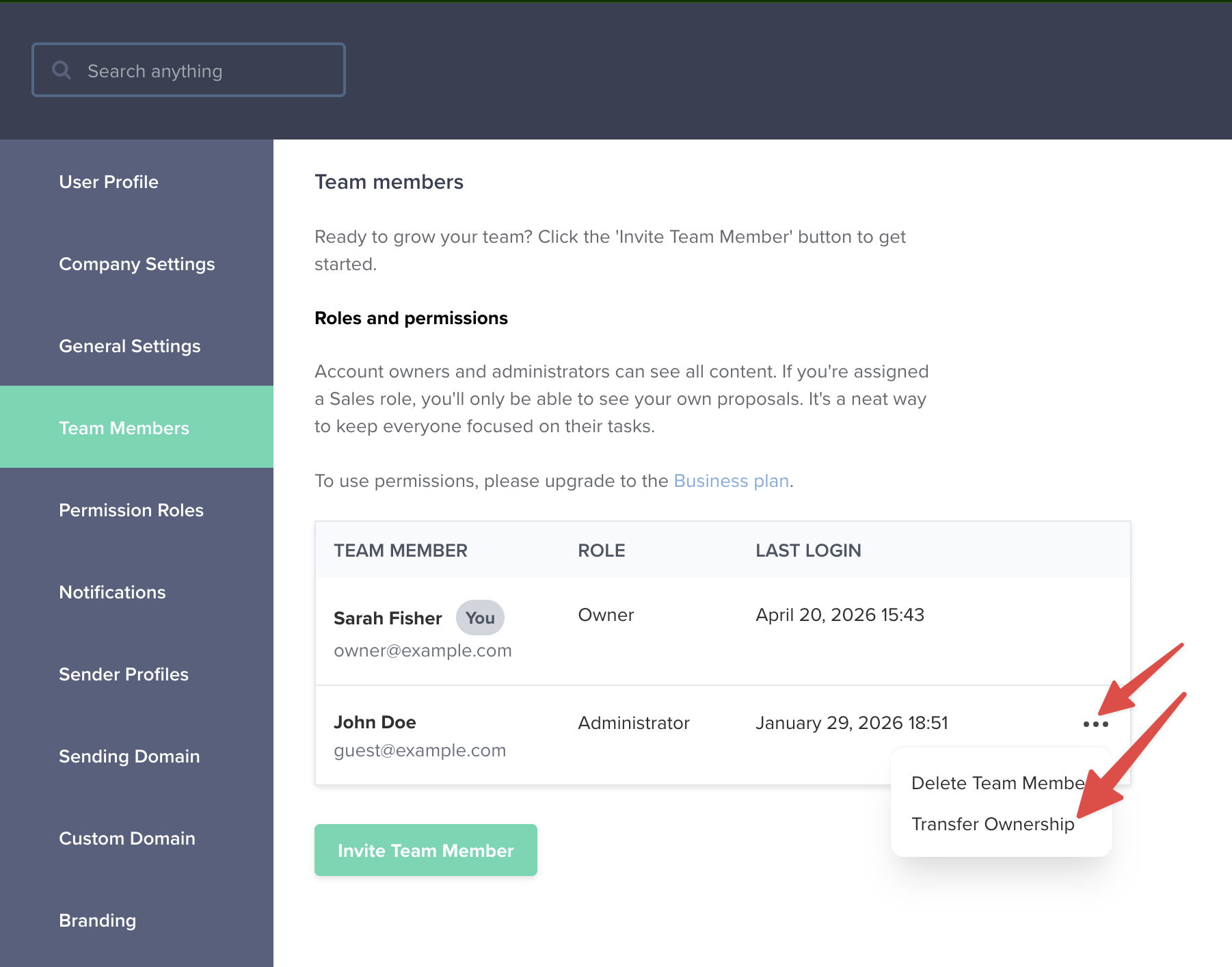
A confirmation modal will appear asking you to confirm the transfer. Once you click “Transfer ownership”, the change is immediate.
What happens after the transfer
- The team member you selected becomes the new Account Owner.
- You’ll be demoted to Administrator and lose owner-only privileges (like transferring ownership again or cancelling the account).
- All proposals, templates, and other account data stay exactly as they were.
The new owner can transfer ownership back to you at any time if needed.