



Updating your password
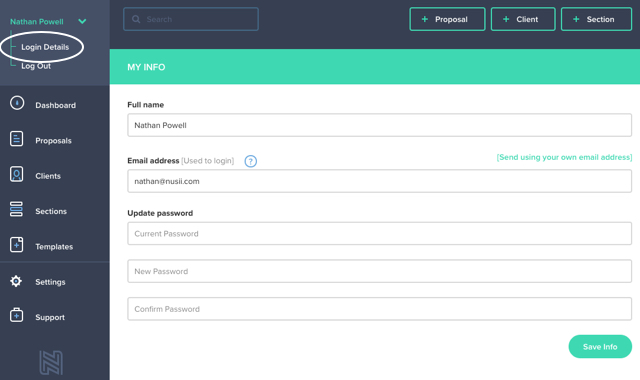
To update your account password, go to Settings and click on User Profile.
Here you’ll be asked to type your current password. Once you’ve typed this feel free to create a new password below. You’ll need to confirm your new password, just to make sure it’s correct.
After this click on Save Info and you’re done!
If you have any questions, just ping us below. We’ll be happy to help!