

Optional line items
Sometimes you need more flexibility than choosing between pricing packages. Optional line items let your clients select or deselect individual services directly in your proposal, before they accept.
This is perfect for offering add-ons or giving clients the ability to tailor the proposal to their exact needs.
Setting up optional line items
To make a line item optional, click the settings icon on any line item within a pricing section. You’ll see the optional line item settings.
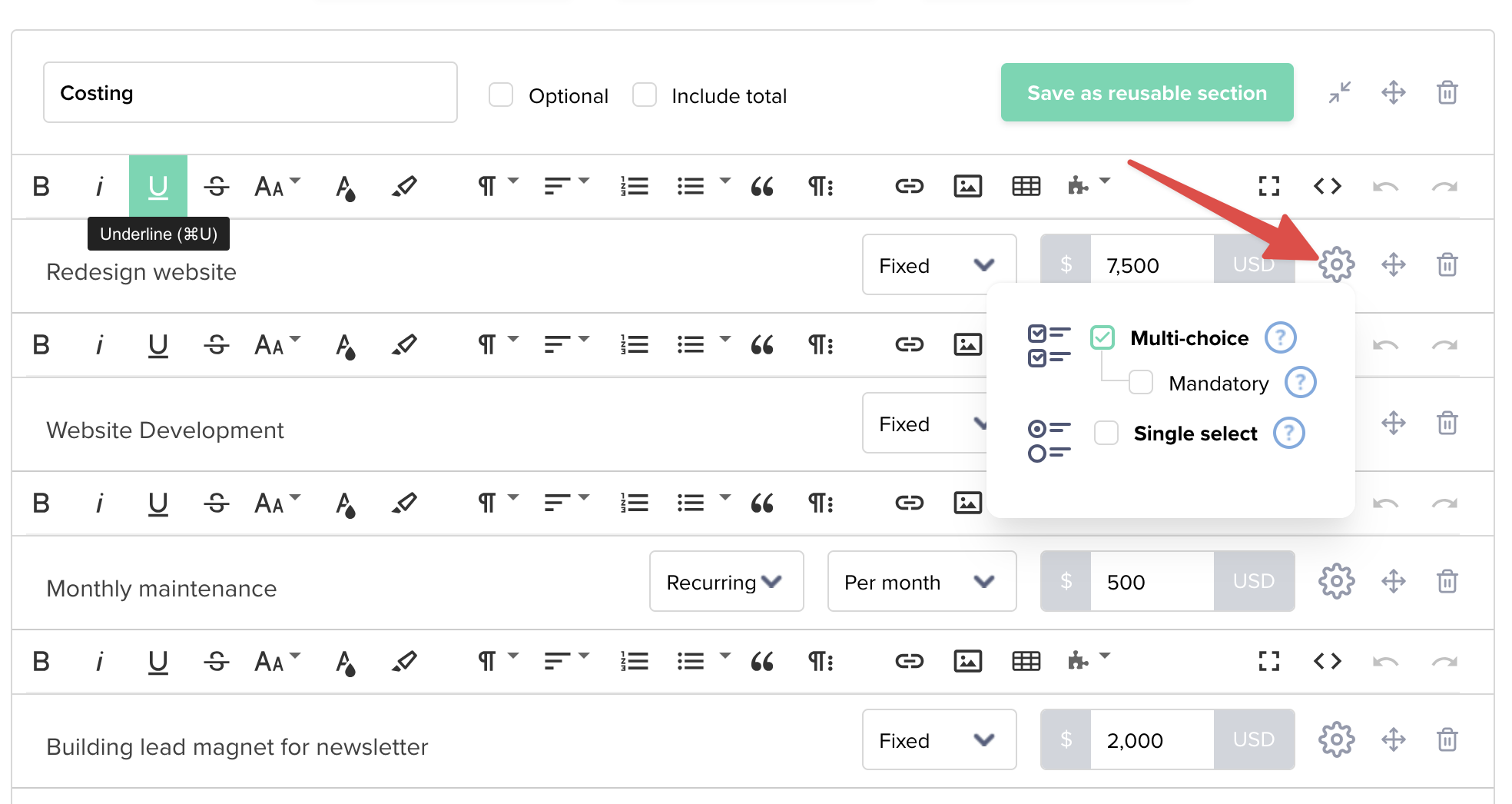
You have two options:
- Multi-choice – Clients can select multiple add-ons (great for upselling additional services)
- Single select – Clients choose one option from a list (perfect for “choose your package” scenarios)
You can also mark a line item as Mandatory if it should always be included and cannot be deselected.
How clients see optional line items
When your client opens the proposal, they’ll see a checkbox next to each optional line item. They can select or deselect items before accepting, and the total will update automatically.
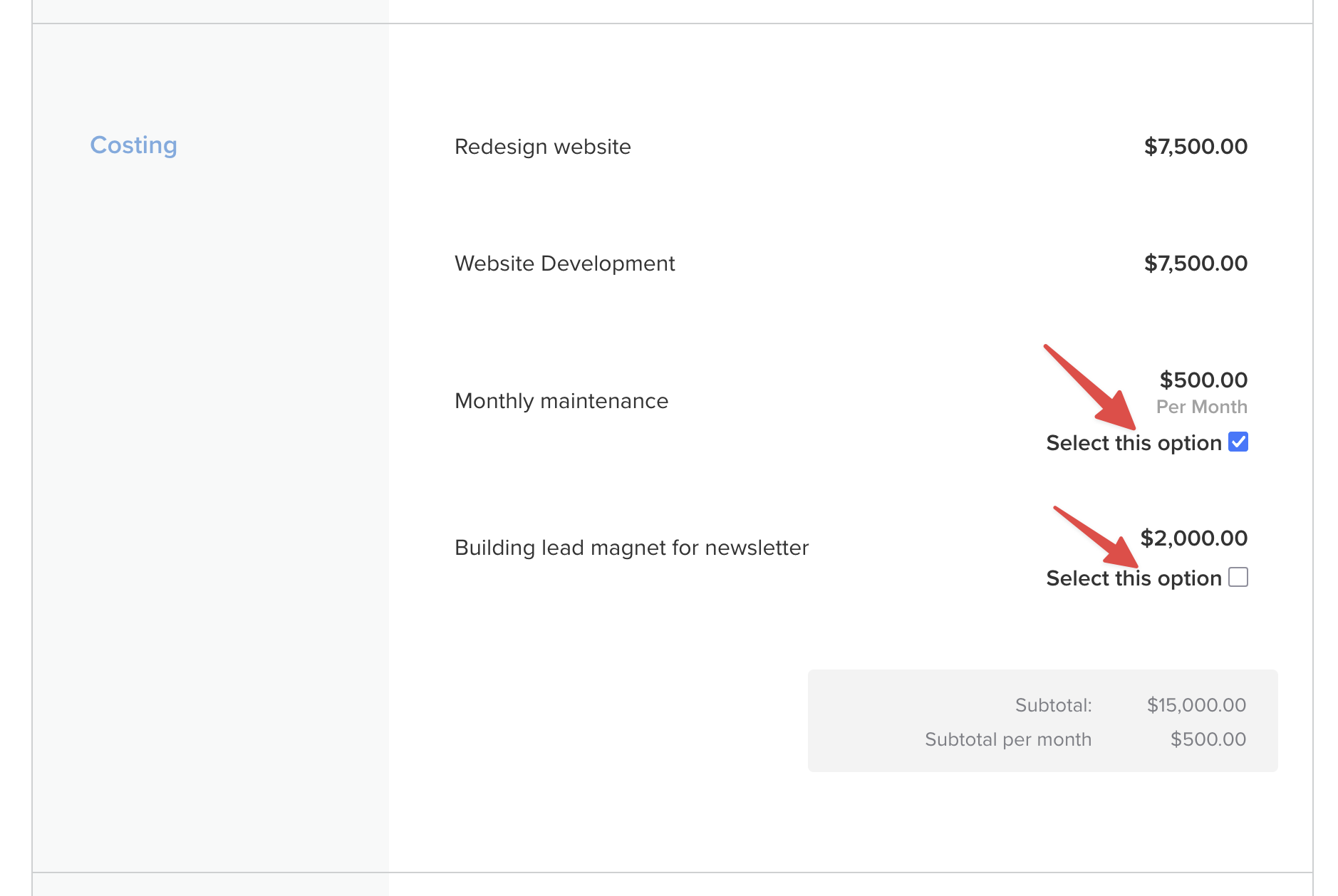
This means clients can customize the proposal to fit their budget and needs, without you having to create multiple pricing packages.
If you have any questions, just ping us below. We’ll be happy to help!